Details
The Aquacomputer VISION RGBpx Connection Terminal for Kryographics with Active Backplate (23689) is an exchange connection terminal for kryographics series graphics card coolers, as well as for the kryoM.2 water cooler. It works with an active backplate only. This connecting terminal adds a high-resolution OLED graphic display, an RGBpx controller and a USB interface for visualization of various data.
Properties
- Display
- OLED graphic display, 128x64 pixels
- Lighting
- RGBpx controller, up to 30 addressable LEDs
- Sensor input
- 1 temperature sensor
- Interface
- USB, internal connector, powered through USB
- Size
- approx. 62 x 35 x 31 mm excluding cable
Graphic display
Its 128x64 pixel resolution is shown on OLED technology, which Aquacomputer says guarantees an exceptional contrast ratio and a wide viewing angle. Due to that excellent contrast, the screen can be read from many angles.
Individually configurable display contents
Several display pages can be set up to read a variety of hardware data from the PC. Layouts include single value screens, lists, bar graphs and charts (diagrams), and all text and graphic logos can be individually adapted to personal preferences. A note pad function shows short memos.
Integrated RGBpx controller
Via the integrated RGBpx controller, up to 30 addressable LEDs can be controlled. This is especially useful for the RGBpx LEDs built into various kryographics series water blocks; where a block has integrated lighting, the connector there is already occupied. If an RGBpx product has more than one connector, the one marked IN must be used, and further RGBpx products go on its OUT connector.
Connector for a temperature sensor
The VISION controller also has a connection for one temperature sensor. With a compatible sensor plugged in, temperature is monitored constantly, and its values can be displayed immediately on a display page.
What you need to connect it
The terminal belongs on a kryographics or kryoM.2 water cooler with an active backplate. Important: neither the water cooler nor the backplate is included in the delivery. Furthermore, the article is not to be used without an active backplate. The USB cable in the box goes to an internal USB header on the motherboard; check that the pin alignment matches first.
Compatibility
Aquacomputer lists these RGBpx products for the LED connector and these sensors for the temperature connector; LED products, sensors and special interconnecting cables are optional accessories:
- RGBpx LED-Strip (53268, 53269, 53270)
- RGBpx lighting set (53271, 53272)
- RGBpx Splitty4 (53267)
- RGBpx Splitty12 ACTIVE (53300)
- RGBpx LED ring for ULTITUBE (34115)
- RGBpx LED ring for aqualis (53274, 53276)
- RGBpx LED ring for 60 mm reservoir (53277)
- RGBpx cable (53259, 53260, 53261, 53266, 53297)
- Temperature sensor inline G1/4 for VISION (53218)
- Temperature sensor inner/outer thread G1/4 for VISION (53219)
- Temperature sensor G1/4 for VISION (53220)
- Temperature sensor 70 cm for VISION (art. 53211)
- Temperature sensor 5 cm for VISION (art. 53227)
aquasuite software
Setup and monitoring run in the Windows software aquasuite, though the terminal keeps its settings in its own memory and runs without it. Activating this product gives you the current aquasuite version with an upgrade service for at least six (6) months. After that, the latest version from the upgrade period stays usable, and can be reinstalled, without a time limit. For a fee, the update service can be extended or renewed at any time. Installation and activation need an internet connection; further details are on Aquacomputer's licensing pages.
Notes
- Turn off the power supply completely, or unplug the mains cord, before connecting or disconnecting any cable.
- USB current is limited to 0.5 A by default, and the LED brightness drops automatically to match. Raise it to 1 A only on a USB port its maker specifies for at least 1 A, or permanent damage is possible.
- Clean it with a dry, soft cloth, and keep coolant and water away from the electronics and headers.
In the box
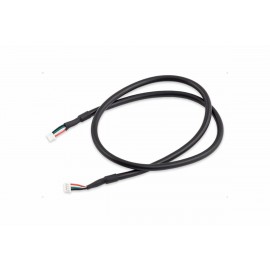
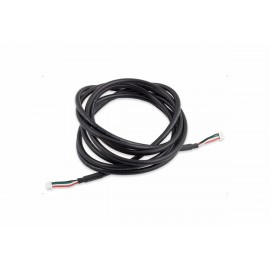
- 1x Aquacomputer VISION RGBpx Connection Terminal for Kryographics (active backplate only) with USB cable (Internal connector)
The manual for the VISION RGBpx series is an English PDF covering the connectors, display, RGBpx and aquasuite settings.