Details
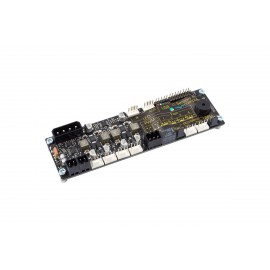
The Aquacomputer Aquabus X4 For Aquaero 5/6 is an aquabus expansion board for aquaero 5 or aquaero 6 devices (XT, PRO and LT). It provides four separate aquabus connections for additional aquabus devices and plugs onto the aquaero.
Properties
- For
- aquaero 5 XT/PRO/LT, aquaero 6 XT/PRO/LT
- Connections
- four aquabus connectors, each with its own driven signal
- Firmware
- aquaero firmware 2100 or newer (aquasuite 2018-1 or newer)
- Mounting
- on the aquabus high speed connector of the aquaero
- Pin assignment
- Pin 1 GND, Pin 2 SDA, Pin 3 SCL, Pin 4 +5V
More than a splitter
Most setups with several aquabus devices on one aquaero use splitters; the X4 reduces the number required for complex aquabus device combinations. Furthermore, it is not simply a splitter: a driver IC gives each of the four connections a "clean" signal, which Aquacomputer says is there to ensure optimum communication.
Guidelines for connecting devices
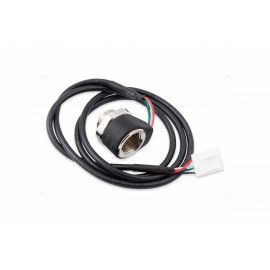
- If the X4 extension is used together with several Calitemp sensors, each Calitemp sensor must have its own connector on the board. Two of them must not share a single connection via splitters.
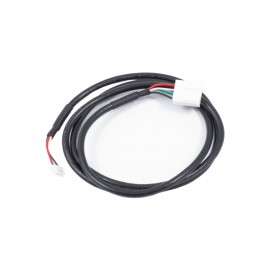
- All other aquabus devices (e.g. poweradjust, mps, farbwerk, etc.) can go on any connector of the X4 in any combination, even a connector that is already connected to (exactly one) Calitemp sensor. Where necessary, aquabus splitters with part numbers 53063, 53124 or 53231 connect several devices to one connector.
- The X4 has no influence on the maximum number of aquabus devices the aquaero can take. Details on the maximum number of aquabus units per type are found in the aquaero manual.
- For optimum performance, spread the devices so that each of the four connectors carries a similar number.
- Do not connect several X4 expansion boards to one aquaero; use splitters for additional devices.
Installation on the aquaero
With the PC off, disconnect the aquaero from the PSU and unplug the USB, aquabus high speed and (aquaero 5 only) standby power cables. Remove the two screws next to the temperature sensor inputs and the speed signal output. Plug the X4 onto the aquabus high speed connector and secure both PCBs with the two cylindrical spacers and screws. On an aquaero with a passive heat sink, such as the Aquaero 6 Pro / XT / LT Passive heatsink, use the shorter spacers supplied with the heat sink (replacement part number 91239). Then connect aquabus high speed compatible devices and reconnect the cables.
Together with the Real Time Clock module
The X4 and the Real Time Clock expansion module can run at the same time, but cannot be stacked together on the aquaero board. The X4 then goes onto the aquaero and the Real Time Clock module is mounted separately in the PC, linked to one X4 connector with the aquabus cable 53122 or cable 53162.
What you need
The board needs an aquaero 5 or 6, for example the aquaero 6 PRO, running firmware version 2100 or higher. Compatible firmware versions come with aquasuite version 2018-1 and later.
All aquasuite versions from 2017 require a valid license or activation. Users of aquasuite up to version 2017-3 must update to version 2018 or newer, and may have to purchase the update service additionally.
Notes
- Clean the board with a dry and soft cloth.
- No electronic component or header may get in contact with coolant or water.
In the box
- 1x Aquacomputer Aquabus X4 For Aquaero 5/6
- Mounting Material
- 2x spacers (replacement part number 91217)
- 2x screws M3 x 18 mm (replacement part number 91051)
The manual for the aquabus X4 has the installation steps and the pin assignment.