Details
The Aquacomputer OCTO Fan Controller for PWM-Fans is an eight channel fan controller for 4-pin PWM fans. It is equipped with four temperature sensor inputs, a flow sensor input and two RGBpx outputs for a total of up to 180 addressable LEDs. It is equally suited to water cooled and air cooled computers, and its fan outputs take PWM fans with four pin connectors only.
Properties
- Fan channels
- 8, 4-pin PWM, speed monitoring
- Power per channel
- 25 watts, combined maximum 100 W
- Sensor inputs
- 4 temperature, 1 flow
- Lighting
- 2 RGBpx outputs, up to 90 LEDs each
- Interfaces
- USB 2.0, aquabus
- Size
- 76 x 48 x 17 mm
Fan controller
Aquacomputer says the OCTO is made with outstanding functionality. Each of the eight channels is programmable and configured independently of the others. Every channel is a 25 watt output with speed monitoring, and the outputs share a combined maximum of 100 W. That high maximum is the key to connecting multiple fans to one output, using suitable splitters such as the SPLITTY9 splitter. Each output is PWM controlled and can be switched off completely. Overload protection is a feature of every output.
The control options are versatile. In addition to setting fan speed manually, you can let a temperature control it. In temperature controlled mode the OCTO offers set point controllers as well as curve controllers. When the corresponding temperature falls below the limit you set, the connected fans are either switched off or kept running at an adjustable minimum speed. For a secure start-up, each fan channel can be configured with an intelligent start boost that watches the speed signal. In Aquacomputer's range the OCTO sits beside the QUADRO fan controller.
Sensors and data from the PC
Four temperature sensor inputs and one flow sensor input feed the controller, and one temperature sensor is in the box. Using the aquasuite software, sixteen further values can be transferred from the PC to the OCTO and used for control. A flow sensor and its special cable are optional accessories, not included in delivery.
Compatibility
Aquacomputer's manual lists these flow sensors and cables as compatible with the flow sensor input:
- Flow sensor high flow LT (53291)
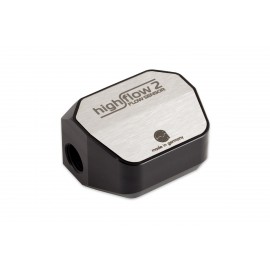
- Flow sensor high flow 2 (53292)
- Flow sensor with 5.6 mm nozzle (53061)
- Flow sensor "high flow" (53068)
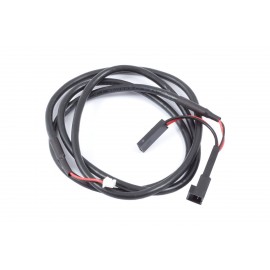
- Connection cable flow sensor (53212)
The temperature sensors listed here fit the four temperature inputs:
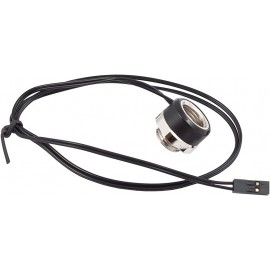
- Temperature sensor inline G1/4 (53066, 53312, 53313, 53314)
- Temperature sensor inner/outer thread G1/4 (53067, 53309, 53310, 53311)
- Temperature sensor G1/4 (53147, 53303)
- Temperature sensor plug&cool (53025)
- Temperature sensor 70 cm / 20 cm / 15 cm (53026, 53062, 53081)
RGBpx controller for addressable LEDs
Additionally, the OCTO has two RGBpx LED outputs for LED strips and fans with individually controllable LEDs, each controlling up to 90 addressable LEDs. Color and brightness are set for each LED individually. On each output you can configure up to six groups of LEDs of varying size, and a visual effect can be assigned to each group. There are 23 available effects, and they can be adjusted extensively for further customization. Many effects can modify their own parameters, for example speed, depending on current sensor data. Sound-to-light effects, visualizing the computer's sound output, are also available.
Aquacomputer says the AMBIENTpx effect deserves special notice. It works by replicating the border area of the current monitor display on the connected LEDs, allowing what Aquacomputer calls an impressive background lighting surrounding the monitor. Alternatively to the LED strips offered by Aqua Computer, LED fans made by Corsair and NZXT connect through the optional accessory RGBpx Splitty4 (item code 53267, not included). If an RGBpx product has more than one connector, the one marked IN must be used, and more RGBpx products may be added at its OUT connector.
aquabus expansion device
Besides being a fully autonomous USB fan controller, the OCTO can serve as an aquabus extension to an aquaero 5 or aquaero 6, such as the aquaero 6 LT or the aquaero 6 PRO. In this configuration the aquabus interface allows the aquaero to control the eight fan channels. The temperature sensor inputs and the flow sensor input are then transmitted to the aquaero. USB and aquabus can be used at the same time. The 4-pin aquabus cable (53214) is sold separately.
Connections and mounting
Power comes from an HDD power plug of your power supply, which carries both 12 V and 5 V. All fan outputs together may draw no more than 8 A. The USB connector goes to an internal USB 2.0 header on the motherboard; please check that the pin alignment matches before you plug it in. A signal output can trigger the motherboard's power switch header through the alarm output cable (53216), or report to a fan connector through cable 53294; neither cable is included. A red status LED blinks during error conditions, and connected RGBpx LEDs then blink red as well.
The mounting material in the box, screws, nuts and spacers, puts the OCTO inside the PC case. To reach the mounting holes, bend the rubber insulation away from the top cover and remove the cover, then reinstall it. The longer hole spacing matches 2.5 inch drives, so the controller fits a 2.5 inch drive bay or the underside of such a drive. Without the rubber insulation, the plastic spacers take its place. Alternatively, double sided adhesive tape holds the controller. Keep the connectors clear of metal parts and other electronic devices in the case.
aquasuite software
The features of the aquasuite software include a comfortable setup, evaluation and visualization of all sensor data. The OCTO will save its configuration in its own memory, so it runs without the software. System requirements are Windows 10 or newer and an internal USB 2.0 port. When you activate the product, you receive the current version of the aquasuite, including an upgrade service for at least six (6) months. After the expiration of the upgrade service, you may use and reinstall the latest version released during that period with no time limit.
For a fee, you can optionally have the update service extended or renewed at any time. An internet connection is required for installation and for activation of the software. Further information about the update service and activation can be found on Aquacomputer's licensing pages.
Technical details
| Dimensions without attached cables | approx. 76 x 48 x 17 mm |
| Supply voltage | 5V, 12V |
| Power supply | 12 V DC ±5 %, max. 8 A | 5 V DC ±5 %, max. 6 A |
| Maximum fan output power | 25 watts per channel, combined maximum 100 W |
| PWM control signal | 0 - 100 %, resolution 0.1 % |
| Ambient temperature range | 10 to 40 °C (noncondensing) |
Notes
- Note on the AMBIENTpx effect: screen content preventing analysis by DRM or similar methods cannot be utilized for the effect.
- Turn off the power supply completely, or unplug the mains cord, before connecting or disconnecting any cable.
In the box
- 1x OCTO controller
- 1x temperature sensor, length approx. 70 cm
- 1x internal USB connection cable, length approx. 100 cm
- 4x M3 x 8 mm screws
- 4x M3 hex nuts
- 2x M3 x 12 mm screws
- 2x plastic spacers
- 1x manual
Aquacomputer's manual for the OCTO is an English PDF that covers every connector and the aquasuite settings.