Details
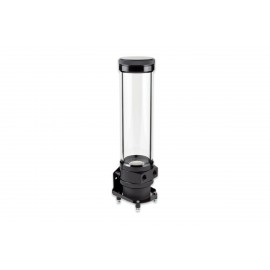
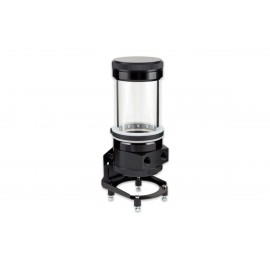
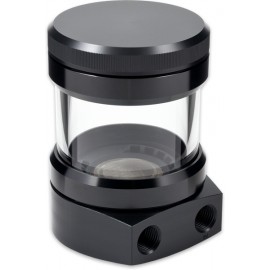
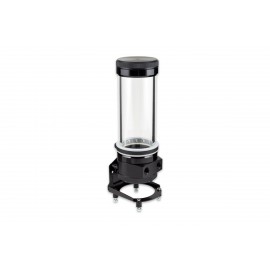
The Aquacomputer ULTITUBE D5 200 PRO Reservoir (34096) is a 470 ml tube reservoir with a borosilicate glass tube and a base that takes a D5 pump motor, with two G1/4 ports. The PRO version adds a pressure equalization membrane in the lid, an RGBpx LED ring with 13 addressable LEDs and a rubber fixation ring. No pump is included: it needs a D5 pump to run, and the reservoir cannot be used without one.
Properties
- Pump
- D5 pump motor (not included)
- Capacity
- approx. 470 ml
- Ports
- G1/4, one marked IN
- Tube
- Borosilicate glass, 65 mm outer diameter, 5 mm wall
- Lighting
- RGBpx LED ring, 13 addressable LEDs
- Size
- 72 x 72 x 260 mm without pump
Borosilicate glass tube
Every expansion tank in the ULTITUBE series is equipped with a tube made of borosilicate glass. Acrylic glass (Plexiglas) is often used for tube expansion tanks instead. In contrast, borosilicate glass has a very high hardness and scratch resistance, very low thermal expansion and excellent chemical and thermal resistance. The tube measures 65 mm in outer diameter, with a wall thickness of 5 mm. Metal rings of black anodized aluminum are firmly bonded to both ends, which keeps them connected to the tube, and they do not come into contact with the coolant or any other cooling medium.
Base and lid are made of resistant acetal and are screwed to the glass tube. After unscrewing the lid, a large opening is available for filling. The number in the name (50/100/150/200 across the Ultitube series) refers to the glass tube length in millimeters, so this product is the 200 mm version.
PRO version: membrane, LED ring and fixation ring
The PRO version of the ULTITUBE D5 has a gas exchange membrane integrated directly into the cover, the lid of the reservoir. It lets gases pass, so pressure fluctuations caused by temperature changes are continuously compensated via the membrane: the internal pressure of the loop is equalized with the ambient pressure, without coolant being able to escape.
Also included in the scope of delivery is an RGBpx-compatible LED ring with 13 individually addressable LEDs to effectively illuminate the reservoir. It consists of a transparent silicone ring and a black rubber LED holder. Slide the silicone ring over the top of the reservoir to the position you want on the glass tube, then insert the holder. To operate the LED ring you need an Aqua Computer control unit with an RGBpx output, e.g. a D5 NEXT (not included). Its connector marked IN goes to that output with the supplied cable. At the end of the strip there is a second connector, marked OUT, for connecting another RGBpx component in a daisy chain.
A rubber fixation ring with a stainless steel insert is in the box too. Slipped over the top of the reservoir onto the glass tube, it gives an additional, vibration-damped fastening in the upper area of the glass tube.
Filter and seals
Integrated at the bottom of the container sits a filter element of fine stainless steel wire mesh. In addition to functioning as a particle filter, it also separates air bubbles from the coolant. The element is held in a molded rubber part, and it can be rinsed out, for example under running tap water. The seal (gasket) in the upper area of the glass tube, below the lid, is a molded rubber part as well. It is designed for easy assembly and is therefore securely positioned in the right place when the lid is screwed on.
Pump mounting
All D5 pumps offered by Aqua Computer can be mounted into the bottom of the reservoir, as well as pumps of the same design (identically constructed) from other manufacturers. Aquacomputer says that when developing the reservoir, attention was paid to optimal flow behavior. In its words, the result is an extremely quiet pump, with noise and vibration reduced to a bare minimum. The pump is attached using a slim threaded ring of black anodized aluminum. It is not possible to run the reservoir with no pump fitted.
To fit a bare pump motor, place the gasket into the base and set the base on the motor. Then slide the mounting ring over the rear of the motor and screw it onto the base. On a D5 NEXT, take the controller unit off before fitting the ring and put it back afterward. If you have a complete D5 pump rather than a motor, disassemble it first: only the housing with its electronic components and the impeller are needed.
Installation in the case
Fastening material for mounting on a side / rear wall, or for a standing mounting on the bottom of the case, is included in the scope of delivery. Aquacomputer prefers the standing installation for stability reasons. For decoupling, four soft rubber decouplers (rubber buffers) come with it.
Combined with a D5 NEXT, the right angle mounting bracket from the box cannot be used. Instead, the reservoir can be installed standing directly on the D5 NEXT. Alternatively, a suitable bracket is available as an optional accessory, the D5 NEXT bracket (34111), our item number 1019699, and it is not included. Brackets for standard fan mounting positions are also sold separately: the 120 mm bracket (34112) and the 140 mm bracket (34113).
What the loop needs
A D5 pump is required for operation and is not included in the delivery. A D5 pump core (41091) or a D5 NEXT (41118) fits, and more are in our D5 pumps section. Please note that the reservoir is supplied without connections, so order suitable fittings separately: the two G1/4 ports take two of them, from our fittings section. The return line goes to the port engraved IN, the other line to the remaining port.
Fill it with Double Protect Ultra or water. The same PRO reservoir with a pump already fitted is the ULTITUBE D5 200 PRO with D5 NEXT pump (34110).
Technical details
These are Aquacomputer's specifications for the 200 mm reservoir.
| Coolant capacity (filling volume) | approx. 470 ml |
| Connection thread | G1/4 |
| Dimensions without pump | approx. 72 x 72 x 260 mm |
| Dimensions with D5 pump (not included in delivery) | approx. 72 x 72 x 300 mm |
| Dimensions with D5 NEXT pump (not included in delivery) | approx. 72 x 72 x 315 mm |
| Dimensions measured | without mounting material |
| Ambient temperature range | 10 to 40 °C (noncondensing) |
| Coolant temperature | 0 to 50 °C |
Notes
- Never use a coolant with solid micro particles: those in various opaque coolants damage the D5 pump bearing and may destroy the borosilicate glass tube.
- Use light force only when screwing in fittings, so the threads in the plastic base part are not damaged.
- To open the lid, hold the glass tube and turn the lid counter-clockwise, without tools and with moderate force only. Keep the gasket safe and place it on the glass tube before screwing the lid back on.
- Clean with a dry, soft cloth.
In the box
- Reservoir
- Fastening ring and seal for fastening the pump
- Mounting Materials
- RGBpx compatible LED ring
- RGBpx connection cable, length 50 cm
- Rubber fixation ring with stainless steel insert
- Manual (quick start guide)
Aquacomputer's quick start guide for the ULTITUBE D5 is an English PDF with the pump installation steps, the mounting options, the LED ring and the technical data for every tube length.