Details
The Aquacomputer HUBBY7 Internal USB 2.0 Hub (53230) is an internal USB 2.0 hub with seven ports, fed from a motherboard USB header or a SATA power connector. Aquacomputer designed it to meet the requirements of Aqua Computers sensors and controllers, and it comes with some special features.
Properties
- Ports
- 7 x USB 2.0
- Connection
- USB IN to an internal motherboard USB header
- Supply
- USB (500 mA total) or SATA power (1000 mA total)
- Dimensions
- Approx. 80 x 30 mm, height 16 mm without cables
Safety
Current monitoring watches the connected devices. In case of overcurrent the hub does an automatic shutdown, with error reporting to the operating system. Additional thermal monitoring and a safety fuse prevent damage to the motherboard and connected devices.
Flexibility: USB or SATA power
The hub and all connected devices run from either source, and a jumper selects it: position 1-2 closed for USB IN, position 2-3 closed for SATA POWER.
Using USB power, the hub and everything plugged into it share a maximum of 500 mA in total. Depending on motherboard configuration, the USB header stays live during standby of the PC as well. Connected devices (keyboard, aquaero) therefore keep power, enabling them to trigger system startup.
Power drawn directly from the PSU via the SATA connector gives 1000 mA in total. It is split up as 500 mA for ports 1, 2 and 3 combined and 500 mA for ports 4, 5, 6 and 7 combined. No power is supplied during standby, which might for example be beneficial to disable computer mice with annoying light emissions.
The POWER LED will light up red when voltage reaches the hub. If it stays dark although the PC is running, check the POWER JUMPER position and all connected cables.
Easy installation
The hub is equipped with mounting holes distanced according to ATX specification, so it can sit raised by 20 mm above the motherboard. Bend the rubber case outwards, remove the cover plate, and place the hub on plastic spacers over two of the motherboard retaining screw positions. The supplied screws come in metric and imperial types, to suit your PC case. Installed this way, it is ca. 55 mm total incl. cables.
Alternatively, attach the self-adhesive hook-and-loop fastening strip, also supplied, to the bottom side of the hub and fix it to a suitable surface inside the PC case.
What you need to connect it
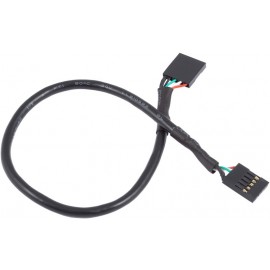
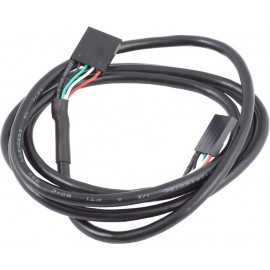
The supplied 25 cm cable joins the USB IN header of the hub to an internal USB header of the motherboard; take special care that the pin alignment is correct. For SATA power, connect SATA POWER to an available connector of your PSU. Current operating systems detect the hub and use generic drivers, so no special drivers are required.
Pin assignment USB
| Pin 1 | +5 V (red) |
| Pin 2 | D- (white) |
| Pin 3 | D+ (green) |
| Pin 4 | GND (black) |
| Pin 5 | Not connected or GND (black) |
Pin assignment SATA POWER
| Pin 4-6, 10, 12 | GND |
| Pin 7-9 | +5 V DC |
| Pin 1-3, 11, 13-15 | Not connected |
Notes
- Its current limiting features make the hub unsuitable for USB-powered hard drives, CD-ROM drives, mobile phones and similar devices.
In the box
- 1x USB hub
- 1x Internal USB cable, total length 25 cm
- 1x Self-adhesive hook-and-loop fastening strip
- 1x Mounting material
The Installation Manual holds the product information on both mounting options, the power jumper and the pin assignment.