

Details
The Aquacomputer AMPINEL 12V-2x6 Graphics Card Power Management - Type B is a power supply balancer for graphics cards with a 12V-2x6 power connector. It was explicitly developed and released for NVIDIA RTX 4000 and RTX 5000 series cards. It plugs directly into the card and takes up to 650 W. Its connector orientation is type B, fixed: check it against your graphics card before you order.
Properties
- Connectors
- 12V-2x6 input, 12V-2x6 output
- Maximum power
- 650 W input/output
- Orientation
- Type B, fixed
- Current per rail
- 9.2 A nominal
- Display
- OLED, 128x64 pixels, 8 RGBpx LEDs
- Interface
- USB, aquasuite
How the balancer works
Aquacomputer says AMPINEL works in a much more complex way than other solutions on the market. As a balancer, it actively regulates the current on the individual rails, thereby reducing power losses at the connector. That may sound simple at first, but it requires highly complex measurement algorithms. AMPINEL does not simply equalize the current on all lines; heat generation at the connector is also taken into account.
For this, AMPINEL determines the quality of the connections themselves, and that is only possible through a complex analysis of the measurement data. Since the power consumption of graphics cards is highly dynamic, the current may change significantly in the range of microseconds. Aquacomputer says this has been one of the most difficult tasks in its development.
By evaluating the measurement data, AMPINEL can determine the contact resistance to the graphics card, and also in the path from the power supply to AMPINEL. The aquasuite software visualizes the results in a schematic of the corresponding connectors, where different colors represent resistances, thus enabling easy diagnosis in the event of problematic contact resistances.
Control logic objectives
To enable optimum protection of the graphics card, Aquacomputer says the following objectives have been defined for the AMPINEL control logic:
- At any of the contacts, the current must not exceed 9.2 A (plus 5% control tolerance).
- Respecting this specification, the total power loss at the connector should be minimized, and the current is then balanced accordingly.
- No individual contact may exceed a specified power rating for its power loss.
- At the balancer, the maximum power loss must not be exceeded.
- Temperatures are monitored at both connectors and at the balancer.
Objectives 3 and 4 therefore cap the power loss in two places: at each contact and in the balancer.
Autonomous operation
AMPINEL operates autonomously and protects the graphics card even without the aquasuite software or a USB connection. Its integrated balancer comes activated ex works. Problematic operating conditions trigger an optical and acoustic alarm, and the display gives information about the cause. When operating conditions become critical, AMPINEL switches the graphics card off.
Finely nuanced alarm management
In addition to visual and audible alarms, you can define a wide range of actions. These range from pop-up messages and automatic termination of software that causes a high GPU load to sending definable hotkeys and shutdown of the PC. Switching of alarm outputs, switching off of the Sense lines, and hard shutdown of the graphics card power supply via AMPINEL are also possible. Overall, the alarm system is controlled in 8 stages, and the corresponding escalation levels can be defined.
Power limitation via Sense contacts
The maximum power reported by the power supply via the Sense contacts can optionally be reduced by AMPINEL. That is used to put the graphics card into a more economical operating mode, and AMPINEL supports power levels of 600 watts and 450 watts.
Configurable balancer
Within a control range of 0-100%, the balancer can be limited. If you only want the alarm functions in the event of an alarm and do not want to use balancing, configure the control range to 0%.
Display and lighting
The device carries an OLED display, a button, and multicolor lighting. The data to be shown on the display is selected in aquasuite, and several alternating views are possible. Currents, voltages, and other AMPINEL measurements are quickly visualized there, which can assist in troubleshooting the cable. A variety of PC hardware data can also be displayed, and text and graphic logos can be customized according to your preferences. The integrated lighting can show a wide range of measurement data; for example, the current power consumption of the graphics card can appear as a colored bar graph.
Compatibility
Two different configurations of AMPINEL are available, Type A and type B. The difference is the connector orientation of the 12V-2x6 connector for the graphics card, which corresponds to the different assembly variants of the graphics card manufacturers. Please select the variant that matches your graphics card, because the connector orientation cannot be changed. Also check the dimensions so that nothing overlaps with parts of the graphics card or other hardware. There is no release for AMD cards yet: Aquacomputer said it was being worked on and will be communicated after successful validation.
The graphics cards listed below are, according to Aquacomputer, currently not compatible with AMPINEL:
- MSI GeForce RTX 5070 Ti 16G Expert OC
- MSI GeForce RTX 5080 16G Expert OC
- MSI GeForce RTX 5080 16G Suprim (S)OC
- MSI GeForce RTX 5090 32G Suprim (S)OC
- MSI GeForce RTX 5090 32G Vanguard (S)OC
- NVIDIA GeForce RTX 5080 Founders Edition
- NVIDIA GeForce RTX 5090 Founders Edition
Please note that this is not a complete list: other graphics cards available on the market may also be incompatible.
What you need to connect it
The 12V-2x6 power supply line from the PSU goes into the input, and AMPINEL goes directly into the card; PSU cables for that connector are in our 12VHPWR VGA cables section. The supplied USB cable, part of the scope of delivery, connects to an internal USB header of the motherboard. Four miniature connectors serve as interfaces:
- USB
- External temperature sensor, for example the temperature sensor 70 cm (53211) that Aquacomputer recommends for monitoring the PSU power cables
- Power switch output for motherboard (Signal 1), with the alarm output cable (53216), not included in delivery
- Speed signal / switched signal for external alarm (Signal 2), to a fan connector with cable 53294, not included
aquasuite software
When you activate this product, you receive the current version of the aquasuite software, including an upgrade service for at least eighteen (18) months. After the expiration of the upgrade service, the latest version available during the upgrade period stays yours to use and reinstall, without a time limit. Optionally, the update service can be extended or renewed for a fee at any time. An internet connection is required for installation and activation. Further information about the update service and activation can be found on Aquacomputer's licensing pages.
Technical details
| Graphics card connector orientation | Type A or type B, fixed |
| Input connector | 12V-2x6, power levels 600 W, 450 W, 300 W (Sense) |
| Output connector | 12V-2x6 |
| Maximum power input/output | 650 W |
| Nominal voltage | 12 V, alarm if lower than 10 V |
| Nominal current per rail | 9.2 A, alarm if higher than 9.6 A for 8 seconds, immediate shutoff if higher than 20 A |
| Maximum total current | 55 A, alarm if higher than 57 A for 10 seconds |
| Ambient temperature range | 15 to 45 °C |
| Maximum temperature AMPINEL | 90 °C |
| Maximum power dissipation AMPINEL | 6 W, short-term 15 W for less than 10 seconds |
| Display | OLED 128x64 pixels, 0.96" black/white, 10 configurable display pages |
| Illumination | 8 RGBpx LEDs, configurable |
Notes
- It is important to connect AMPINEL directly to the graphics card, i.e., with no extension cables or adapters in between. Only connected here, at the card, can it measure the relevant contact resistances on the graphics card.
- Mind the maximum power of 650 watts: AMPINEL is not suitable for extreme overclocking, for example with shunt mods or a manipulated graphics card BIOS.
- When installed, AMPINEL protrudes above the graphics card, in the direction of the CPU socket. Particularly when using air coolers on the CPU, collisions may occur and may prevent installation.
- The balancing functions need a single-rail power supply and a single-rail graphics card. In a multi-rail configuration AMPINEL deactivates balancing, while its alarm functions remain available.
- AMPINEL may reach temperatures of up to 100 °C during operation: keep a distance of at least 2 cm to sensitive components and mount it with air flow over the heat sink.
- Data loss must be expected when alarm actions terminate applications or shut down the computer or the graphics card.
- External tests and reviews: Aquacomputer points to a test by igorsLAB.
In the box
- 1x AMPINEL 12V-2x6 graphics card power management, type B
- 1x internal USB cable, length ca. 100 cm (replacement part no. 53215)
- 1x quick start manual
Aquacomputer's manual for AMPINEL is an English PDF with the installation steps, the connector pin assignments, the alarm levels and every aquasuite setting.
Related Products
-
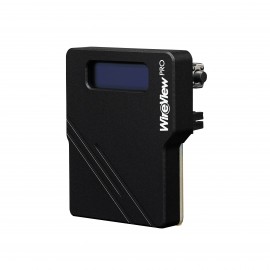
Thermal Grizzly WireView Pro GPU 1x12VHPWR 90 Degree - Normal (TG-WV-90-P-H1N)
Regular Price:
Special Price



