Details
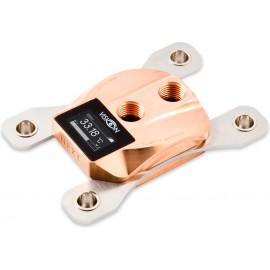
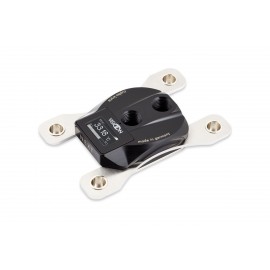
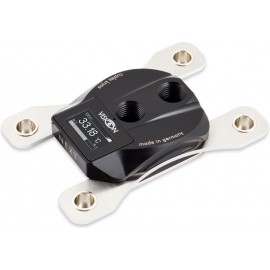
The Aquacomputer Cuplex Kryos NEXT VARIO AM5/AM4/3000/5000/7000/8000/9000, Nickel/.925 Silver (21784) is a CPU water block for AMD socket AM5 and AM4, with a nickel plated brass top and a .925 sterling silver base. It is built for the AM5/AM4 retention system of the 9000/8000/7000/5000/3000 processor series. Its VARIO base can be adjusted with four screws while the PC is running.
Properties
- Sockets
- AM5, AM4 (9000/8000/7000/5000/3000 series)
- Top
- Nickel plated brass
- Base
- .925 sterling silver (925/000), adjustable VARIO geometry, micro structure under 200 µm
- Ports
- 2x G1/4, distance between threads 28 mm
- Dimensions
- 111 x 75 x 22 mm (not including screws)
The cuplex kryos NEXT series
Aquacomputer says the cuplex kryos NEXT marks a new milestone in CPU water block development. By its account, every detail was analyzed, optimized and tested to achieve perfection in three areas: cooling performance, installation procedure and product features. The result, it says, is a whole product series rather than just one CPU water block with outstanding performance, with various models differing in color and functionality.
Models with a VISION module are equipped with modern electronics. A high resolution OLED display, an integrated water temperature sensor and a USB interface are just three of their features. This block is the VARIO version without that module. For the same sockets, the cuplex kryos NEXT AM5/AM4/3000/5000/7000/8000/9000, acetal/copper has a fixed base, and the cuplex kryos NEXT with VISION AM5/AM4/3000/5000/7000/8000/9000, acetal/nickel carries the module.
VARIO: adjustable geometry
Aquacomputer calls the VARIO models the first CPU water blocks globally to incorporate a base that is adjustable in real time. Never before, it says, has it been possible to make a CPU block's geometry perfectly fit the CPU while the PC is in operation. On VARIO variants, four adjusting screws on the sides of the water block change the geometry of the base part.
Why it matters: each CPU is unique. Even the slightest variations in height or shape of the metallic lids on top of current CPUs considerably affect the cooling performance of a water block. Prior concepts to adjust a block's geometry always required it to be disassembled and then reinstalled onto the motherboard, requiring significant time and effort. Aquacomputer says that with the cuplex kryos NEXT VARIO the geometry is perfectly adjusted in just a few moments. You simply change the geometry using the four screws while monitoring core temperatures at maximum CPU load. The temperature changes provide an immediate feedback, so the perfect setting is quickly identified.
How to adjust it
Each water block leaves the factory pre-adjusted to a geometry that performs very well with a number of CPUs, and a laser engraving on the screws marks this preset. Adjusting needs the block installed on the CPU and integrated into a functioning water cooling setup. Use extreme caution while you adjust, and do not touch any motherboard components.
CPU temperature or the CPU core temperatures must be watched in software. Aquacomputer names aquasuite version 2017 or higher (tab "Quick data view"), HWiNFO, Core Temp, Open Hardware Monitor and AIDA64, and some motherboard manufacturers also provide suitable software. Put the CPU under heavy load, for example with Prime95 or OCCT.
Turn one adjustment screw slightly. If the CPU temperature decreases, keep going in the same direction; if it increases, reverse. Repeat for all four screws until the block is optimally adjusted, and never rotate a screw by more than one revolution from its original position. To reset to the factory setting, screw each one in until the stop, then loosen it by approximately one revolution until the marking on screw and water block align.
Base part with micro structure
The base part carries an extremely fine micro structure, with a structural width lower than 200 µm. The coolant is injected centrally by a slot-shaped nozzle, and from there it runs to both sides of the structure. Depending on model, the base itself is manufactured from copper, nickel plated copper or .925 sterling silver.
The material combination of this block is nickel/.925 silver: the top part is nickel plated brass, and the base is .925 sterling silver (925/000 sterling silver in Aquacomputer's notation).
Retention system
The retention system consists of stainless steel plates 2.5 mm thick, equipped with nickel plated spring cups. Springs and knurled screws secure the water block on the motherboard, and the system has a very clean look when installed. All retention system versions feature a mechanical stop, for optimum clamping force and even force distribution. The knurled screws can be installed by hand, and a hexagon socket wrench can additionally be used for easy installation.
Socket AM5/AM4 motherboards already include a back plate as part of the CPU socket, as socket 2011/2066 boards do. Therefore no additional back plate is required for this block. Only the water blocks for socket 115x or AM3 come with a steel back plate with silicone insulation, to stabilize the CPU region of the motherboard.
With the AM5/AM4 9000/8000/7000/5000/3000 retention system, the block does not sit centered on the CPU. Aquacomputer places it slightly off-center instead, matching the asymmetrical internal design of these CPU series for optimum heat dissipation.
Thermal compound
For optimum performance, Aquacomputer ships every cuplex kryos NEXT with what it calls outstanding thermal compound: a syringe with 0.5 grams of Thermal Grizzly Kryonaut is included, complete with plastic spatula. The compound has a high thermal conductivity. Due to its low viscosity it spreads out thin and evenly between CPU and water block, and the amount is sufficient for approximately five applications.
Color variants
Across the series, the top part of the water block is available in various materials and coatings:
- Acetal black: a shiny black high-tech plastic
- Acrylic glass: a transparent body suitable for illumination
- Copper: a reddish gloss
- Nickel plated brass: a bright metallic gloss
- PVD plated brass: a high quality multi layer coating with a dark metallic gloss
Installation
Take off the old CPU cooler and, if necessary, remove thermal grease residues from the CPU surface with benzine. Place a small drop of the supplied grease, about 4 mm (0.15 inch) across, centrally on the CPU, or spread a thin layer with the plastic spatula.
Set the block on the CPU in the orientation the manual shows. Put one spring into each recess and insert a knurled screw through each spring into the anchor threads of the CPU socket, only one or two revolutions. Then fasten the four screws alternately, a fraction of a revolution at a time, until all are fully fastened.
What the loop needs
Both connection threads are G1/4, so the block takes two fittings from our fittings section. For best cooling performance the coolant must come in through the central fitting, because a reversed flow direction significantly decreases cooling performance. For corrosion inhibition, Aquacomputer requires Double Protect Ultra as coolant.
Notes
- Put the water cooling system into operation first with no other PC components connected to the mains supply, and check the block and the fittings for leakages.
- A component that has been in contact with coolant must be completely dry again before it goes into operation.
In the box
- 1x Water block
- 1x Mounting materials (screws, springs, etc.)
- 1x Thermal compound Thermal Grizzly Kryonaut, approx. 0.5 grams in syringe
- 1x Plastic spatula
- 1x Instruction manual
The manual has the mounting details for every socket, the flow direction, approved coolants and the technical steps of the VARIO geometry adjustment.