Details
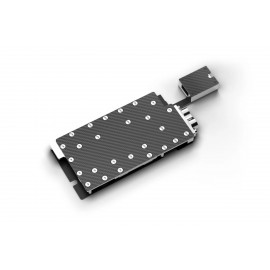
The Alphacool ES AI PRO R9700 1-Slot-Design is a GPU water block for AMD Radeon AI PRO R9700 graphics cards, among them the ASRock Creator 32GB and the Sapphire 32GB. It is a 1-slot cooler for workstations and servers where space is limited, with both G1/4 ports on the rear, and the aluminum backplate is in the box.
Properties
- Fits
- AMD Radeon AI PRO R9700 (ASRock, Asus, PowerColor, Sapphire)
- Cold plate
- Chrome-plated copper (Cu-HCP)
- Top
- Carbon
- Ports
- 2 x G1/4, on the rear
- Slots
- 1
- Backplate
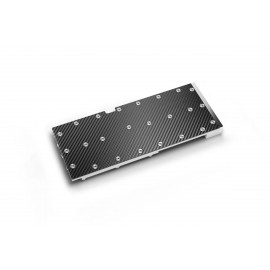
- Aluminum, included
Compatibility
Alphacool lists these cards for this block:
- ASRock AMD Radeon™ AI PRO R9700 Creator 32GB
- Asus Turbo Radeon™ AI Pro R9700
- PowerColor Radeon™ AI PRO R9700
- Sapphire AMD RADEON™ AI PRO R9700 32GB
The cooler is designed for one specific PCB layout, and the manual warns that design revisions may affect compatibility. Before ordering, compare your card with the pictures in Alphacool's GPU configurator, or look it up in its Compatibility List for AMD cards.
Made for workstations and servers
Alphacool specially developed this ES 1-slot GPU water block for professional use in performance-optimized server and workstation environments. With the compact 1-slot design and well-planned port positioning, Alphacool says it meets the highest requirements for cooling performance, reliability and ease of installation, especially where space is limited. Alphacool calls it the ideal solution for workstation and enterprise applications where performance, reliability and efficient use of space are key priorities.
Carbon top and chrome-plated copper
The top of the cooler is made of lightweight, durable carbon. Alphacool says this significantly reduces the weight of the cooler compared to conventional solutions, and that the matte carbon finish provides a subtle, high-quality look that is both functional and elegant. The cooling block itself is made entirely of chrome-plated copper. According to Alphacool, the chrome plating is significantly harder and more resistant than conventional nickel plating. It provides reliable protection against corrosion, scratches and mechanical impact, which Alphacool says makes it ideal for long-term 24/7 operation.
Ports on the rear
The inlet and outlet ports are positioned on the rear side of the cooler to save space. Alphacool says this port layout makes tubing and integration into existing cooling loops easier, even in very compact server or workstation cases.
Water flow
An optimized cooling channel structure dissipates the heat from the GPU, the VRAM and the voltage regulators, particularly efficiently according to Alphacool. Targeted channel routing inside the cooler ensures an even flow of water across all relevant components. Alphacool says the solid copper base ensures optimal heat absorption and transfer, and that the robust chrome plating prevents peeling or damage under thermal stress.
What the loop needs
The cooler has two G1/4 connections with brass threads, both on the rear. Each takes one of the compression fittings for your tube size, which are not in the box. Alphacool gives 1.00 Nm as the maximum torque for the G1/4 thread. The backplate, the thermal pads, thermal grease, a putty tool, the screws and nuts and the PCI bracket come with the cooler.
Technical data
| Dimensions (L x W x H) | 203.78 x 96.00 x 21.10 mm |
| Slot size | 1 |
| Material cooler | Chrome-plated copper (Cu-HCP) |
| Material Backplate | Aluminum (AlMg0.7Si) |
| Material terminal | Brass (CuZn39Pb3) |
| Threads | 2x G1/4 |
| Material connection thread | Brass (CuZn39Pb3) |
| Maximum torque G1/4 thread (in Nm) | 1.00 |
| Maximum torque M2 thread (in Nm) | 0.13 |
| Maximum torque M3 thread (in Nm) | 0.48 |
| Maximum torque M4 thread (in Nm) | 1.12 |
| Maximum operating temperature (in °C) | 60 |
| Minimum operating temperature (in °C) | -20 |
| Maximum tested pressure (in bar) | 4.00 |
| Recommended working pressure (in bar) | 0.00 - 2.00 |
| Cooling technology | Jet engine |
Technical data thermal pads
| Thermal conductivity of thermal pads (in W/mK) | 7 |
| Thermal pads Hardness ASTM 2240 | 35 Shore 00 |
Technical data thermal paste
| Volatilization Rate (24H@200°C)% | less than 0.5 |
| Density (g/cc) | 3.2 (Test method ASTM D792) |
| Viscosity (mPa.s) | 150~200*10³ (Test method ASTM D2196) |
| Continuous Using Temperature (°C) | -40 °C to 120 °C |
| Breakdown Voltage (V/mil) | 250 (Test method ASTM D149) |
| Thermal Impedance (°C in 2/W) | 0.1 +/- 0.01 (Test method ASTM D5470) |
| Max. working pressure (psi) | 40 |
| Quantity | 1 g |
| Color | Gray |
Notes
- Place the graphics card on an antistatic surface to remove the original cooler, and work slowly where thermal adhesive is used.
- Clean the GPU, the memory and the contact areas of thermal paste and pad residue before fitting the cooler, for example with isopropyl alcohol.
- Remove the plastic transport spacers before assembly.
- During installation, make sure all components have sufficient clearance and the cooler does not damage the card.
- Alphacool asks that the cooler be used only with clear, transparent water cooling fluids. It warns that the particles and additives in pastel liquids can clog and permanently damage radiators, pumps, coolers and hoses, which can also void the manufacturer's warranty.
In the box
- 1x Alphacool ES AI PRO R9700 1-Slot-Design GPU Cooler
- 1x Backplate
- 14x M2x10mm Screw
- 4x 39.5x15x1mm Pad
- 2x 31x15x1mm Pad
- 1x 55x8x1mm Pad
- 1x 63.5x8x1mm Pad
- 2x 8x8x1mm Pad
- 1x Thermal Grease
- 1x Putty tool
- 1x PCI Bracket
- 1x M3 Nut
- 1x M3x4mm Screw
- 1x M2 Nut
- 1x M2x4mm Screw
- 1x 30x30x2mm Pad
Alphacool's manual and data sheet for this cooler are PDFs. There is also a 3D model (an STP file) that you can turn in the 3D viewer.