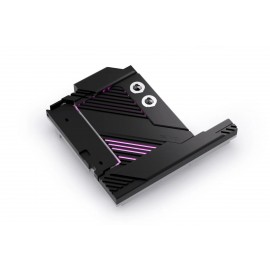
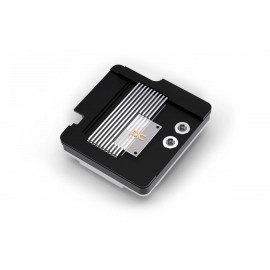
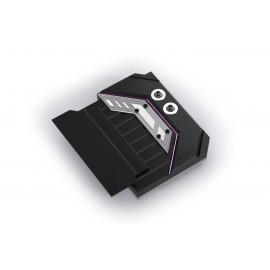
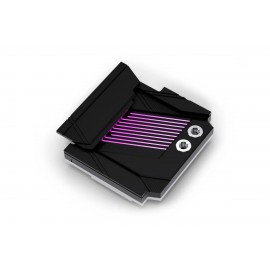
Details
The Alphacool Apex Monoblock for PRO X870-P WIFI AM5 is a full-cover CPU water block for one motherboard, the MSI PRO X870-P WIFI (AM5), and its AM5 socket. It actively cools the CPU, the VRMs and the primary M.2 NVMe SSD beneath the CPU socket as a single, integrated cooling solution. Alphacool designed it specifically and exclusively for this board, so compare the board name before ordering.
Properties
- Motherboard
- MSI PRO X870-P WIFI (AM5)
- Socket
- AMD AM5
- Cools
- CPU, VRMs, primary M.2 NVMe SSD
- Cold plate
- Chrome-plated copper
- Ports
- G1/4, brass terminal
- I/O cover
- Integrated, motherboard-specific
Fit
Compatibility is limited to the one board named above. The monoblock takes the place of that board's own coolers. Alphacool's manual has you remove the M.2 SSD cooler according to the motherboard manual, then the components it labels M2, M3 and M4. Each of those is held by 2 screws that are loosened with the mainboard turned over, and for M3 the screws on the I/O shield are loosened first. The two-piece AMD retention frame is removed as well. Once all components M1 to M4 are off, the mainboard is ready for mounting the monoblock.
The M.2 SSD is installed next, the thermal pads are placed on the cooling block and their protective film is removed. With the CPU cleaned and the thermal grease applied, the monoblock goes on. The I/O shield screws go back in (the manual says to use the original screws), and the block is secured with 6 screws. The package includes the mounting hardware for all of this, the thermal pads and 1g of thermal paste.
Cooling engine
The monoblock is built upon what Alphacool calls the proven design of its Apex 1 CPU cooler. Its offset cooling base directs the coolant precisely toward the thermal hotspot of the AM5 processor, a layout optimized for AMD AM5 processors. Combined with Alphacool's Cross-Slot fin structure and the 3D Jetplate 2.0, which it calls advanced, this cooling engine generates high coolant velocity and pressure. Alphacool claims exceptional heat transfer and maximum cooling efficiency for it. It describes the block as optimized for overclocking and high-performance computing, making it an excellent choice for gaming and demanding workstation applications too, in its words.
Copper and brass
The cooling block, cold plate included, is precision-machined from a solid piece of chrome-plated copper, while the G1/4 connection terminal is manufactured from brass. Alphacool calls the brass durable and says the pairing is there to ensure long-term reliability and excellent thermal conductivity. In its words, every detail is engineered to provide efficient cooling while maintaining structural integrity under continuous operation. It describes the construction as premium.
Design and I/O cover
The block features a built-in I/O cover, a motherboard-specific part integrated into the monoblock that creates a clean, factory-style appearance. Alphacool says the block integrates seamlessly with the motherboard, and that the motherboard-specific design enhances both cooling performance and overall system aesthetics. It pitches the block as a premium part and a natural centerpiece for any custom liquid-cooled build, engineered to maximize cooling performance while complementing the motherboard's aesthetics. Alphacool sums the monoblock up as the ideal cooling solution for enthusiasts building a high-end custom water-cooled AM5 system. Its reason: a block combining exceptional thermal performance, premium materials and motherboard-specific engineering.
What the loop needs
The block connects through the G1/4 threads of its brass terminal. They take the compression fittings for your tube size, which are not in the box. To run, this CPU water cooler needs a pump and a radiator in the same loop.
In the box
- 1x Alphacool Apex Monoblock PRO X870-P WIFI (AM5)
- 6x ISO 7045 M3 x 8 4.8 H Screw
- 6x Washer
- 2x 79x8x2mm thermal pad
- 1x 70x22x2mm thermal pad
- 1x 12x11x2mm thermal pad
- 2x 70x8x2mm thermal pad
- 1x Thermal grease
- 1x Putty tool
- 4x AM5 Mounting Nuts
Alphacool's manual, its installation instructions for the block, is a PDF. Its 3D model of the block is an STP file, and the 3D viewer shows it from every side.