Details
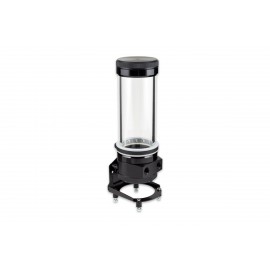
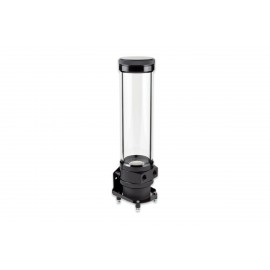
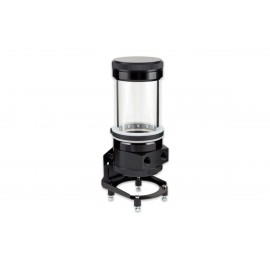
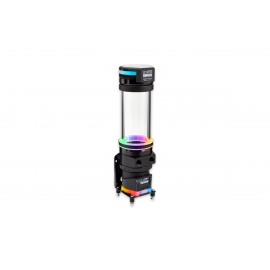
The Aquacomputer ULTITUBE D5 100 PRO Reservoir with D5 NEXT Pump is a pump and reservoir combo, with a D5 NEXT pump installed in the base. The tube reservoir has a 100 mm borosilicate glass tube, a capacity of approx. 230 ml, a pressure equalization membrane in the lid and an RGBpx LED ring with 13 addressable LEDs.
Properties
- Pump
- D5 NEXT with OLED display, installed in the base
- Capacity
- approx. 230 ml
- Ports
- 2x G1/4 thread, inlet engraved IN
- Maximum head
- 3.7 m / 370 mbar
- Lighting
- RGBpx LED ring, 13 individually addressable LEDs
- Size
- approx. 72 x 72 x 215 mm including pump
Borosilicate glass tube
All reservoirs of the ULTITUBE series, which Aquacomputer also calls expansion tanks, are equipped with a glass tube made of borosilicate. That is in contrast to the Plexiglas, or acrylic glass, often used for tube reservoirs. Aquacomputer says borosilicate offers a very high hardness and scratch resistance, a very low thermal expansion and excellent chemical and thermal resistance. On this reservoir the tube has an outer diameter of 65 mm and a wall thickness of 5 mm.
Metal rings of black anodized aluminum are firmly connected to both ends of the tube, and they do not come into contact with the coolant or any other cooling medium. Base and lid of the tank are made of resistant acetal and screwed to the glass. After unscrewing the lid, you have a large opening available for filling.
Filter and seal
A filter element of fine stainless steel wire mesh is integrated in the bottom of the container. In addition to functioning as a particle filter, the mesh also separates air bubbles from the coolant. It sits in a molded rubber part, so it can be taken out and, for example, rinsed under running tap water. The seal between the upper area of the glass tube and the lid is a molded rubber part as well. It is designed for easy assembly and is therefore held securely positioned while the lid is screwed on.
What the PRO version adds
The PRO version of the ULTITUBE D5 has a gas exchange membrane, which Aquacomputer calls a pressure equalization membrane, integrated directly into the cover of the reservoir. Gases pass through it, so pressure fluctuations caused by temperature changes are continuously compensated via the membrane. The internal pressure of the loop stays equal to the ambient pressure, without any coolant being able to escape.
An RGBpx-compatible LED ring with 13 individually addressable LEDs is included to effectively illuminate the reservoir. It consists of a transparent silicone ring and a black rubber LED holder: slide the silicone ring over the top onto the glass tube at the position you prefer, then insert the holder into it. The LEDs can be connected directly to the D5 NEXT pump with the 50 cm RGBpx cable in the box, from the ring's connector marked IN. At the end of the strip, a second connector marked OUT is there for connecting another RGBpx component in a daisy chain.
A rubber fastening ring with a stainless steel insert is also included. It slips over the top of the reservoir onto the glass tube and gives an additional, vibration-damped fixation in the upper area of the tube.
The D5 NEXT pump
An Aqua Computer D5 NEXT pump is mounted directly on the bottom of the reservoir. The most important functions it brings, at a glance:
- A Laing D5 ceramic bearing ball motor, chosen for optimal smoothness and longevity
- A removable control unit that pulls off for easy access to the electrical connections
- A high-resolution OLED display and integrated buttons for direct operation, even without a PC
- Integrated RGBpx lighting for lighting effects and error signaling, plus an alarm buzzer for acoustic alarm signaling
- An integrated water temperature sensor
- A PWM fan output with up to 25 watts of power and speed monitoring, which can alternatively be used as a flow sensor input
- Control parameters that can be set in many ways
- An RGBpx LED output for up to 90 addressable LEDs, which can alternatively be used as an aquabus interface for connection to an aquaero 5/6
- Power supply via a SATA connector, and a USB 2.0 interface that also takes firmware updates
Using the aquasuite software, eight additional measured values can be transferred from the PC to the D5 NEXT. The software also handles easy setting, evaluation and visualization of all sensor data.
Mounting in the case
Fastening material for a standing mounting, for example on the bottom of the case, or for mounting on a side or rear wall is included in the scope of delivery. For stability reasons Aquacomputer prefers the standing installation, and with the D5 NEXT the reservoir can stand directly on the pump. Four soft rubber decouplers handle the decoupling. When a mounting uses the pump's silicone damper, the pump has to sit vertically above the damper and the reservoir must be firmly secured to the case. The damper is not designed for lateral stress or for transporting the PC. Brackets for standard 120 mm or 140 mm fan mounting positions are available separately, the 120 mm bracket (34112) and the 140 mm bracket (34113).
What the loop needs
No separate pump is needed here. Please note that the reservoir is supplied without connections, so order two suitable G1/4 fittings separately from our fittings section. Connect the return line to the port engraved IN and the other line to the remaining port. Fill it with Double Protect Ultra or water, never a coolant with solid micro particles: those in various opaque coolants damage the D5 pump bearing and may lead to destruction of the borosilicate glass tube.
The pump takes a SATA power plug from your power supply unit. The internal USB connection cable goes to a USB 2.0 header on the motherboard; it is used for data exchange and is not required for pump operation.
aquasuite software
System requirements are Windows 10 or newer and an internal USB 2.0 connection. On activating this product, you will receive the current version of the aquasuite software, including an update service for at least eighteen (18) months. After the update service has expired, you can use and also reinstall the version last available in the update period without time limit. The update service can optionally be extended or renewed at any time, with costs. To install and activate the aquasuite software, an internet connection is required. Further information on the update service and the activation is found on Aquacomputer's website.
Technical details
| Coolant capacity (filling volume) | approx. 230 ml |
| Connection threads | G1/4 |
| Supply voltage | 5V, 12V (±5 %) |
| Maximum total power consumption | 65 W (including fan and RGBpx output) |
| Maximum fan output power | 25 watts |
| Maximum pump head (delivery head) | 3.7 m / 370 mbar |
| Dimensions including D5 NEXT pump | approx. 72 x 72 x 215 mm |
| Ambient temperature range | 10 to 40 °C (noncondensing) |
| Coolant temperature | 0 to 50 °C |
All dimensions in these specifications are without mounting material. In the ULTITUBE product name, the number 50, 100, 150 or 200 refers to the length of the glass tube in millimeters.
Notes
- The pump must not run dry.
- Only remove or re-attach the controller unit with no power supplied to the pump.
- The display orientation changes only by rotating the whole pump, which means unscrewing its mounting ring: drain the coolant completely first, and fasten the ring again by hand.
- A fan and a flow sensor cannot use the fan output at the same time, and the RGBpx and aquabus functions cannot share the bus output.
- Screw fittings in with light force only, so the threads in the plastic base part are not damaged.
- To open the lid for filling, hold the glass tube and turn the lid counter-clockwise, taking care not to lose the gasket. Screw it back by hand with moderate force and no tools.
In the box
- Reservoir
- Integrated D5 NEXT Pump
- Fastening ring and seal for fastening the pump
- Mounting Materials
- RGBpx compatible LED ring
- RGBpx connection cable, length 50 cm
- Rubber fixation ring with stainless steel insert
- Internal USB cable, length approx. 100 cm
- Manual (quick start guide)
Aquacomputer's manual for the ULTITUBE D5 is an English quick start guide with case mounting, the LED ring, the D5 NEXT connections and the technical data. The full D5 NEXT manual covers every menu of the pump and the aquasuite settings.