

Details
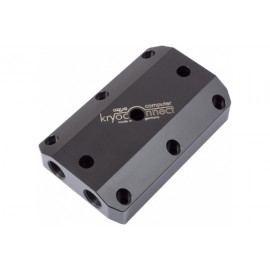
The Aquacomputer Kryoconnect Dual SLI Bridge for Active Backplates | 3 Slot is a direct connection kit that joins two kryographics graphics card water blocks fitted with active back plates, for SLI or Crossfire systems. The cards must sit with a spacing of two slots, meaning one slot remains unused between them, and the kit is only compatible with cards equipped with Aquacomputer's active back plates.
Properties
- For
- Two kryographics water blocks with active back plates
- Card spacing
- Two slots, one unused slot between the cards (3 slots wide)
- Material
- Delrin connection block
- Threads
- G1/4
How the kit works
The kryoconnect allows you to directly connect both waterblocks with one part. The kit comes with a connection block made of Delrin, which replaces the connection blocks of the individual water blocks and also takes the heat pipes of the two active back plates. The supplied sealing screw can be used to determine whether the waterblocks are connected in parallel or in series.
The kit suits motherboards with one unused slot between the PCIe slots for graphics cards. For three slot spacing, with two unused slots between the graphics cards, please refer to article no. 23575. This set cannot be installed without active back plates: for configurations without back plates Aquacomputer points to articles 23551, 23552 and 23553,. For the non-active version, refer to SKU 17196.
Installation
The kryoconnect manual complements the manual of the active back plate, so the back plates go on first, heat pipes left out. The supplied G1/4 screw opens the ducts in one connection thread, and the fittings go on that side. The kryoconnect terminal then takes the place of each block's black terminal, and the heat pipes are seated with thermal compound under the back plate covers.
What the loop needs
Two graphics cards with kryographics water blocks and active back plates, plus G1/4 fittings for the two connections in use; see our SLI/Crossfire fittings.
Compatibility
Aquacomputer lists the kit as suitable for the following waterblocks:
- kryographics for GTX 980 (Art. 23610, 23611, 23612, 23613, 23614, 23615)
- kryographics for GTX Titan Black (Art. 23596, 23597, 23598, 23599, 23600, 23601)
- kryographics for GTX Titan (Art. 23547, 23548, 23549, 23550, 23558, 23559, 23560, 23561, 23594, 23595)
- kryographics for GTX 780 Ti (Art. 23582, 23583, 23584, 23585, 23590, 23591)
- kryographics for GTX 780 (Art. 23564, 23565, 23566, 23567, 23568, 23592, 23593)
- kryographics for Radeon R9 290X and 290 (Art. 23580, 23581, 23588, 23589)
Notes
- Water blocks, back plates, graphics cards and fittings are not included in delivery; order them separately.
- SLI/Crossfire operation is also possible without this conversion kit, using bent fittings.
- Power on the card or the PC only when back plates and water blocks have level contact to all relevant components; otherwise disassemble and repeat. Do not overtighten any screw.
In the box
- 1x connection block made of Delrin
- 1x sealing screw (hardware and accessories)
The installation manual for the kryoconnect with active back plates is a one-page English PDF with every step.
Related Products
-
Aquacomputer Kryoconnect SLI Bridge | 5 Slot (23552)
Regular Price:
Special Price



