Details
The Aquacomputer Aqualis XT 880 mL with Fill Level and Lighting Option | Nano Coated is a stand-alone tube reservoir of 880 ml with a nano coated borosilicate glass tube. The coating, which sits on the inner surface, will cause water to roll off the glass. It holds no pump, and its electronic fill level sensor reports over USB or aquabus.
Properties
- Capacity
- 880 ml
- Ports
- one center connector, lateral connectors
- Glass tube
- borosilicate, nano coated inside, 75 mm outer diameter, 5 mm wall
- Lighting
- up to six 5 mm LEDs in the base part
- Fill level
- electronic sensor, USB and 4-pin aquabus
Borosilicate glass, Delrin base and top
Every reservoir of the aqualis series is equipped with a borosilicate glass tube. Tube reservoirs often use acrylic glass instead. In contrast to it, borosilicate glass is extremely hard and scratch-resistant, and features superb thermal and chemical resistance and a very low thermal expansion. On the 450 ml and 880 ml variants the tube has an outer diameter of 75 mm and a wall thickness of 5 mm. Base and top are made from Delrin (the same material on both), and a stainless steel tube runs between them and connects the two.
All variants of the series are also available with nano coating, as on this reservoir.
With or without the fountain effect
As an optical highlight, a fountain effect can be realized. With the return line on the center connector, the water flows up through the stainless steel tube and is ejected at the top of the reservoir, where it leaves through eight nozzles. In combination with illumination, Aquacomputer calls this a real eye catcher. A thin acrylic plate near the bottom of the reservoir reduces air ingestion to a minimum. The suction line then goes to one of the lateral connectors, and the supplied sealing screw closes the unused connection thread.
Alternatively, the return line can be connected to a lateral connector too, and the water then exits directly from the base part. For this configuration a stainless steel deflector plate is included in delivery, to ensure it can be installed to effectively remove air from the water circuit. The central connection thread gets the sealing screw. The acrylic plate and its spacers come out by unscrewing two screws, and two M3 x 8 mm screws then refasten the acrylic window in the base part. The deflector plate is fastened with two more M3 x 8 mm screws at the bore hole connected to the return line.
For a convenient filling process, the base part has an M6 thread that lets a small fraction of coolant flow directly from the base part into the reservoir. If desired, the supplied headless screw seals it.
Lighting option
The XT has the same acrylic window and LED mounting of the aqualis PRO 450/880 ml variants. Up to six LEDs (5 mm size, sold in our 5mm LEDs section) can be installed into the base part after the stainless steel cover comes off (two screws). A cable duct leads to the side of the reservoir. The PRO variants can be upgraded with an electronic fill level sensor at a later date, while the XT has it built in.
Fill level measurement and alarm output
Additionally, the XT variants feature an electronic fill level sensor with USB and aquabus interface, a programmable alarm output and an external temperature sensor input. The sensor inside is an mps pressure Δ40, and the pressure equalizing membrane sits in the top. For monitoring and configuration, the aquasuite software can be downloaded free of charge.
In addition to the USB interface, the 4-pin aquabus interface can directly connect the fill level sensor to an aquaero 5 controller (not included in delivery). The alarm output can be configured to be used as an rpm signal for a fan connector with fault detection, for example motherboard fan headers. It can also serve as a switched output, for example to connect a LED. Fill level and the external temperature sensor input can each be configured to raise an alarm.
What the loop needs
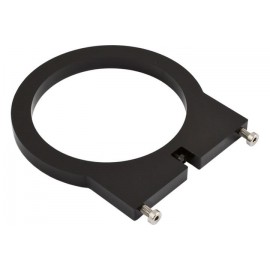
Each connector you use takes one fitting, from our fittings section. The external temperature sensor input is compatible with all Aqua Computer temperature sensors, such as those in our G1/4 temperature sensors section. The USB cable goes to an internal USB header. Two M3 x 8 mm screws fasten the stainless steel bracket to the reservoir, and four more with nuts mount the bracket to the PC.
Notes
- To take the reservoir apart, turn the top counter-clockwise; the glass tube then lifts out. Take care not to lose the gaskets.
- For reassembly, place the gaskets in their grooves and screw the top on with moderate force and no tools, with the gaskets properly aligned in top and base part.
- Use light force only on every screw that goes into the plastic base part, in order not to damage its threads.
In the box
- 1x Reservoir
- 1x Stainless Steel Mounting Bracket
- 1x USB Internal Connection Cable
- Hardware and Accessories
The manual for the aqualis 450/880 ECO/PRO/XT covers disassembly, both connection layouts, the LED installation and the bracket.